Start in your browser
The web client needs no installation. Android, Windows and an iPhone and iPad PWA are also available.
Learn more →Discuss the work, assign the next step and reply to website visitors — right in GoMsg.
The web client will open. Sign in or create an account to start chatting.
Let’s get the website ready for Friday.
I’ll take the hero section and copy. Please send the materials.
Hello! Could I book a consultation for Friday?
Hello, Sofia! Of course. Does 15:00 work for you?
Anna · Friday · 15:00
The company confirms the timeHow bookings work →Workflow diagram. Names and messages are fictional.
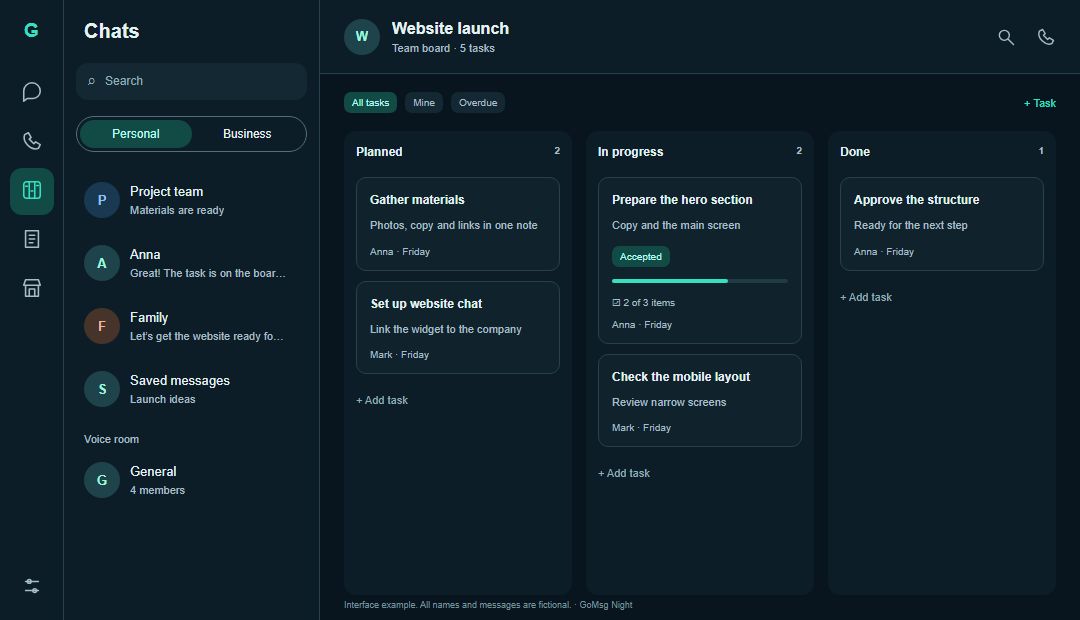
Choose an assignee, deadline and board. Request acceptance when you need confirmation. Keep the discussion, status and result connected.
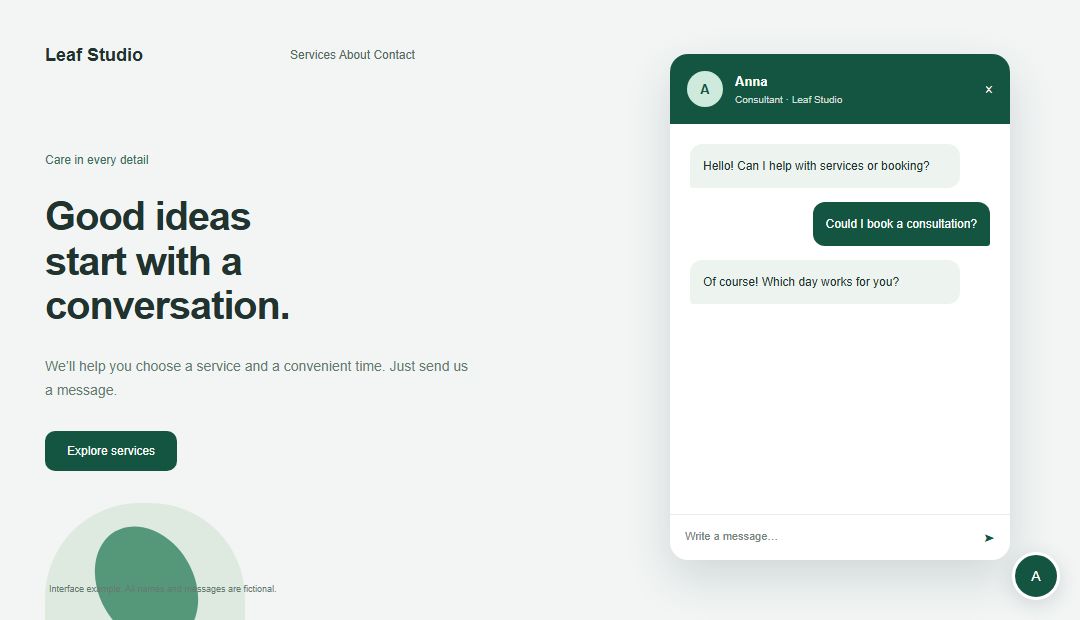
Make the widget fit your website. Use it on its own or connect it to a company to bring customer chats, your website, groups and channel together.
Sign in or create an account in the web client.
Search by username and add the person to your contacts.
Discuss the work. If tasks are available, create your first assignment in chat.
The web client needs no installation. Android, Windows and an iPhone and iPad PWA are also available.
Learn more →Server settings and account permissions determine access to work and business tools.
Learn more →The server processes messages and attachments. Notifications may use external delivery services.
Learn more →No. Start with chats and calls. Use tasks, plans and business tools when you need them.
Yes. Open the web client and sign in or create an account. The PWA guide explains how to add an app icon on iPhone and iPad.
Yes. The widget works on its own. Connect a company when you need shared customer work and a services page.
On the server your account connects to. Your own deployment requires hosting, backups and access configuration. The privacy policy describes data processing for the public service.
Open GoMsg in your browser or choose an app for your device.