Private chats and groups
Separate individual conversations from group discussions. Shared messages and materials stay alongside the conversation they belong to.
Message friends, share photos and documents, make calls and meet in voice rooms. Start in your browser, then choose an app for your device. Registration uses a username and password.
The web client will open. Sign in or create an account to start chatting.
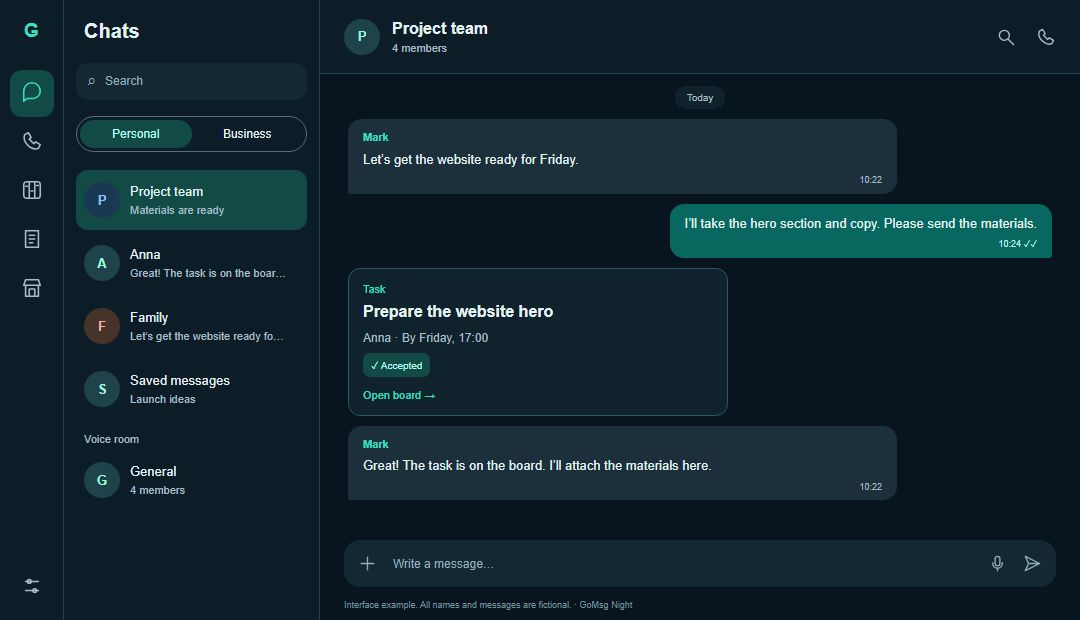
Arrange a meeting in a private chat and share a photo or voice message. Create a group for family or friends. Make a call or join an available voice room when talking is easier. The business tools are optional.
Separate individual conversations from group discussions. Shared messages and materials stay alongside the conversation they belong to.
Share images, videos, documents and voice messages. Attachment size limits depend on your selected server.
Call someone or join a voice room. Allow microphone and camera access when using audio or video.
Choose whether to show read receipts. Your own unread counts still work when you hide this status.
Choose the web client or an app on the platforms page. On iPhone and iPad, you can add the web client to your Home Screen from Safari as a PWA.
Register with a username and password on your selected server. Keep your sign-in details; a phone number is optional.
Find the person and send your first message. For a shared discussion, create a group, invite people and configure access.
One check mark means the server accepted the message. Two show confirmed reading, subject to the recipient’s settings.
Start on the public server without running infrastructure. A self-hosted server’s administrator determines access and data handling.
No. Register with a username and password; profile phone and email fields may stay empty. This does not mean anonymity: the server stores account and conversation data.
Yes, open the web client. The platforms page also offers Android, Windows and PWA installation for iPhone and iPad. Browser calls require microphone permission and camera permission when using video.
Reading alone stays hidden. A private reply confirms earlier messages; a group reply does not override privacy. Your unread counts still work.
Self-hosted server administrators can restrict modules and actions. Ask your administrator about permissions for the missing section.
Open the web client or choose an app. Explore the other features when you need them.