A plan is yours
Your personal plan reflects your intentions. Someone else can assign a task; you decide when to put it into your day. Your work date and the task’s deadline serve different purposes.
A thought from a conversation, a colleague’s assignment and your own idea do not have to live in three different apps. Save what matters as a note, choose work for the day and record the outcome in a report. GoMsg connects these materials while you decide what to work on and when.
The web client will open. Sign in or create an account to start chatting.
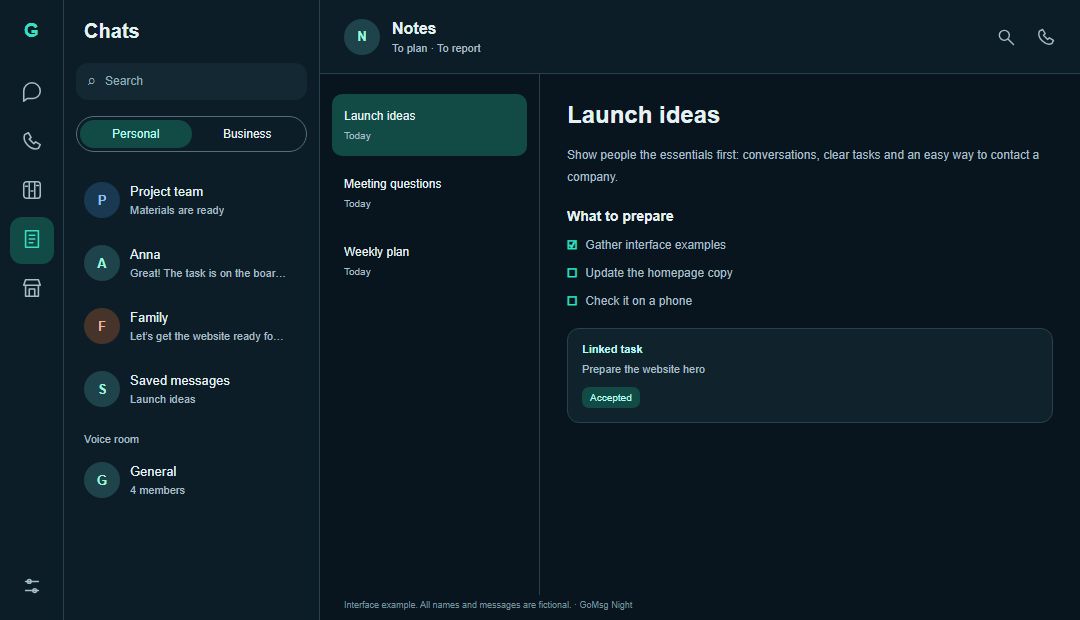
After a meeting, save a message as “Things to check before launch”. Turn the note into a plan, add steps and schedule related tasks for the right days. When the work is done, create a report about the result. Links to the materials help you recover the context without searching the chat again.
Your personal plan reflects your intentions. Someone else can assign a task; you decide when to put it into your day. Your work date and the task’s deadline serve different purposes.
Save ideas and messages, organise them with folders and tags, and pin important entries. Search by title and content to return to a material even when you cannot remember which conversation it came from.
Create a template for recurring work. Repeat it daily, on weekdays, weekly or monthly. Use it for a weekly preparation routine or a regular review rather than starting with an empty list every time.
Link a plan, report and notes to a task. They remain separate documents: a personal text does not become accessible to everyone simply because it is linked to a team assignment.
Create a note or save a message from a conversation. Give it a short, meaningful title so it will be easier to find later.
Turn a note into a plan, add steps and schedule available tasks for a day. Use a template for work you want to repeat.
Create a report and connect it to the work. Explain what was achieved, what remains and what should happen next.
A note captures a thought. A plan describes intended actions. A report records an outcome. They need not become one endless document: links and navigation let you understand them together.
Adding a team task to your personal plan helps organise your day without changing its deadline. Document access is checked separately: board membership does not reveal every note in your account.
No. A plan is your intention and sequence of actions. A task is an assignment with an owner and an optional deadline. You can include a task in your personal plan.
Yes. GoMsg can create a plan or report from your note. Review the new material’s title and content before saving it.
You can prepare a report using linked information. Review and complete the draft: explaining the outcome and next steps remains your responsibility.
No. Notes belong to your account. GoMsg checks permissions for linked materials; linking a private document does not make it shared.
Sign in to GoMsg, capture one idea and choose the next action. Planning access depends on your selected server’s settings and account permissions.